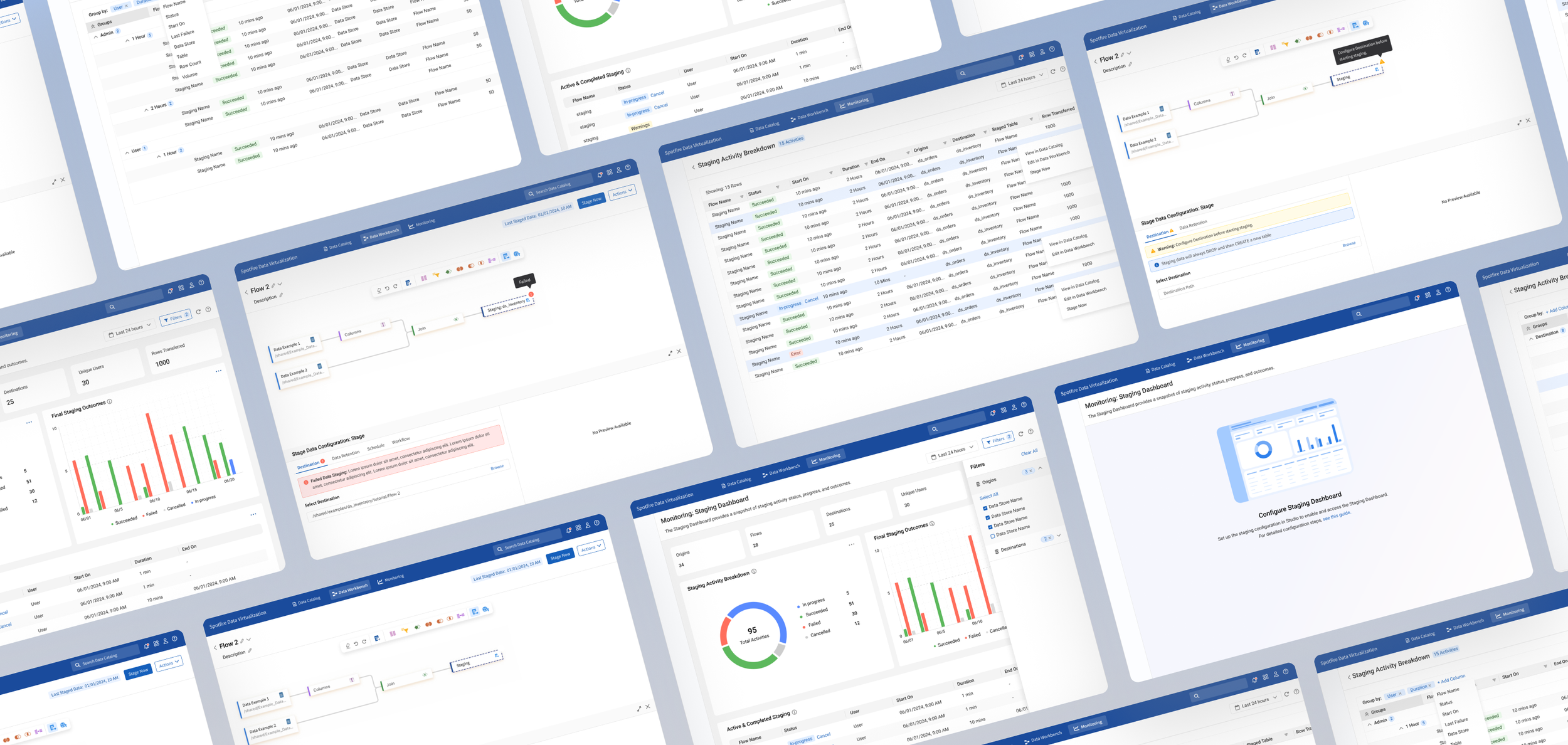

SDV Data Staging Configuration & Monitoring
Tools
Figma, FigJam, Visual Studio Code & UserTesting
Team
Spotfire Data Virtualization Team
(formerly TDV - Tibco Data Virtualization)
Role
Senior UX/UI Designer
Duration
2025 - 2026 Project
Project Overview
Spotfire Data Virtualization allows organizations to access and query data across multiple systems without moving everything into a single database. But when complex queries repeatedly pull data from external sources, performance can slow down and put additional load on those systems.
To improve performance, our team introduced data staging, which allows frequently used data to be stored and accessed more efficiently.
I owned the end-to-end UX for the staging experience, including:
Defining how staging would fit into the existing Workbench workflow
Designing the staging configuration experience
Designing how users monitor and manage staging jobs
Working closely with engineers and stakeholders to understand technical requirements and backend constraints
Translating complex system behaviour into workflows that users could understand and manage
Understanding Data Virtualization
Data virtualization creates a unified layer across databases, cloud platforms, APIs, and other data sources, allowing users to query distributed data without physically moving everything into one system.
While this makes accessing data more flexible, it also creates complex workflows around performance, configuration, monitoring, and troubleshooting.

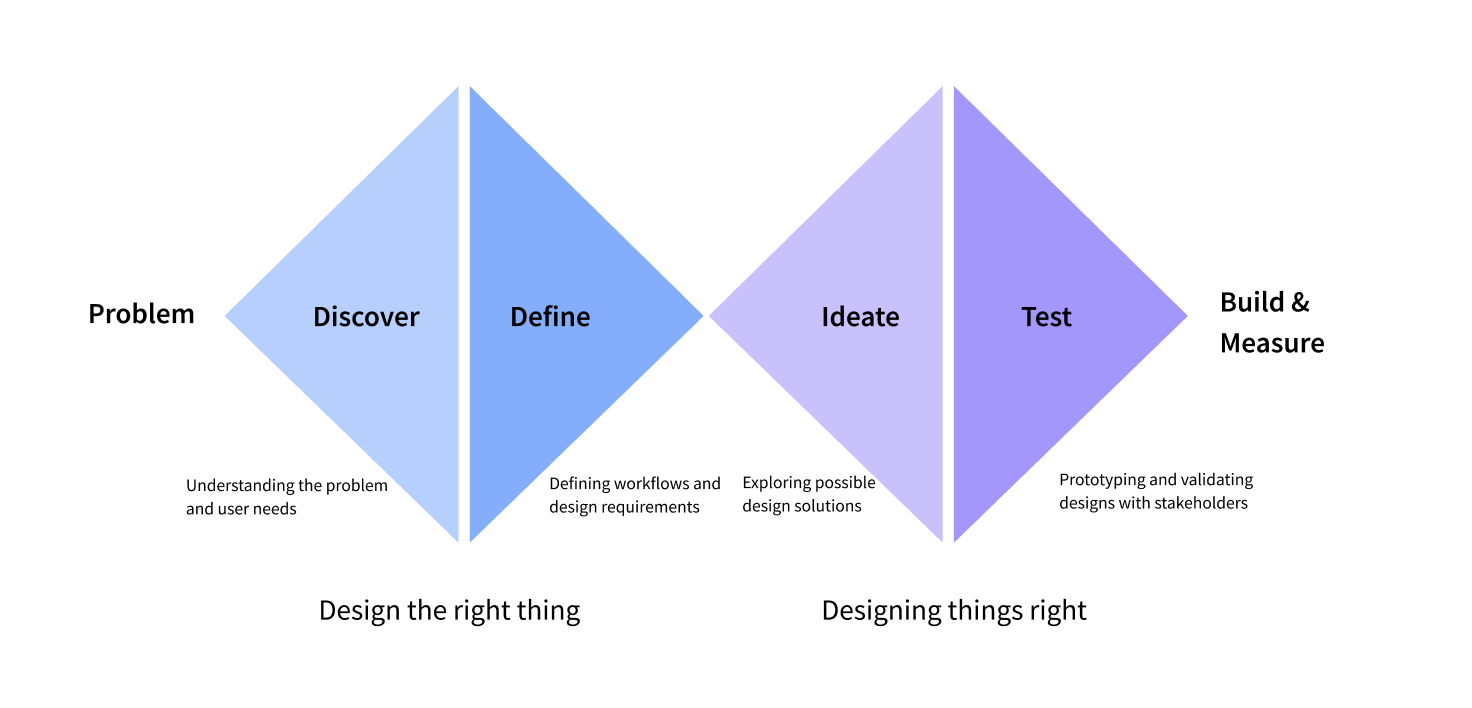
Design Process
Problem
Users reported that complex queries across multiple data sources often took a long time to process. To improve performance, the team introduced data staging, which stores frequently accessed datasets so queries can run faster and reduce load on source systems.
However, staging requires technical configuration typically handled by database specialists. The challenge was to design a workflow that allows users with limited technical knowledge to configure and monitor staging operations.
Goals
The goal was to turn a technical backend capability into an end-to-end workflow that would:
Integrate staging into the existing Workbench experience
Simplify configuration and execution
Give users visibility into running and completed jobs
Support monitoring and troubleshooting when something goes wrong
Understanding the System
Before designing the UI, I needed to understand how staging actually worked behind the scenes. I worked closely with engineers and stakeholders to understand the backend process, technical constraints, and decisions users would need to make throughout the staging lifecycle.
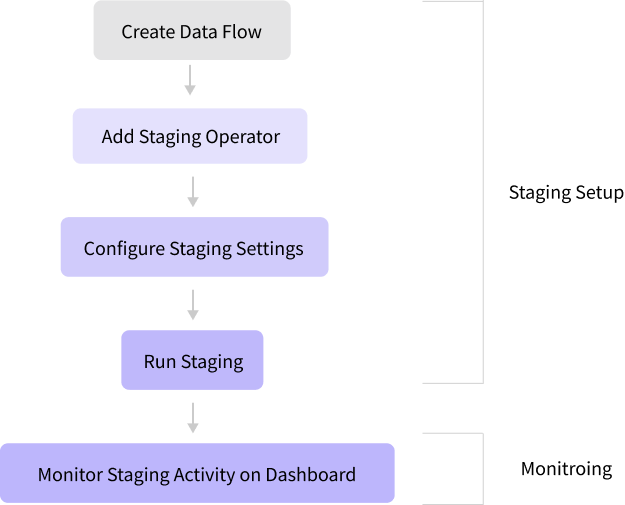
I mapped the experience from the moment a user configured staging through what happened after the operation started.
This helped identify two connected parts of the experience:
Workbench: where users configure and initiate staging
Monitoring: where users track activity, history, and individual operations
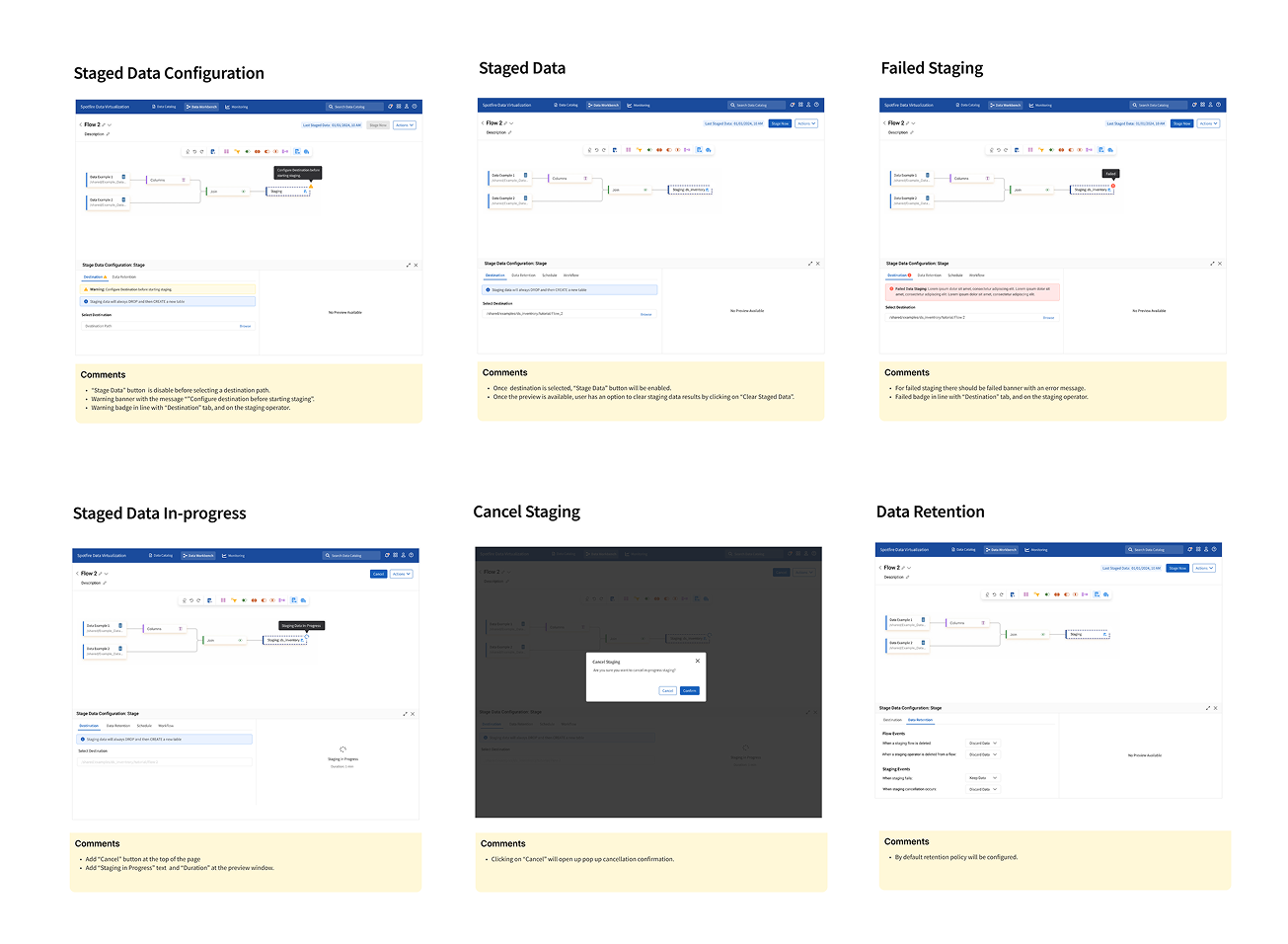
Configuring Staging
I integrated staging into the existing Workbench workflow and organized the configuration around the key decisions users needed to make, rather than exposing complex backend settings all at once.
Destination: where staged data should be stored
Data Retention: how long staged data should be kept
Monitoring Staging
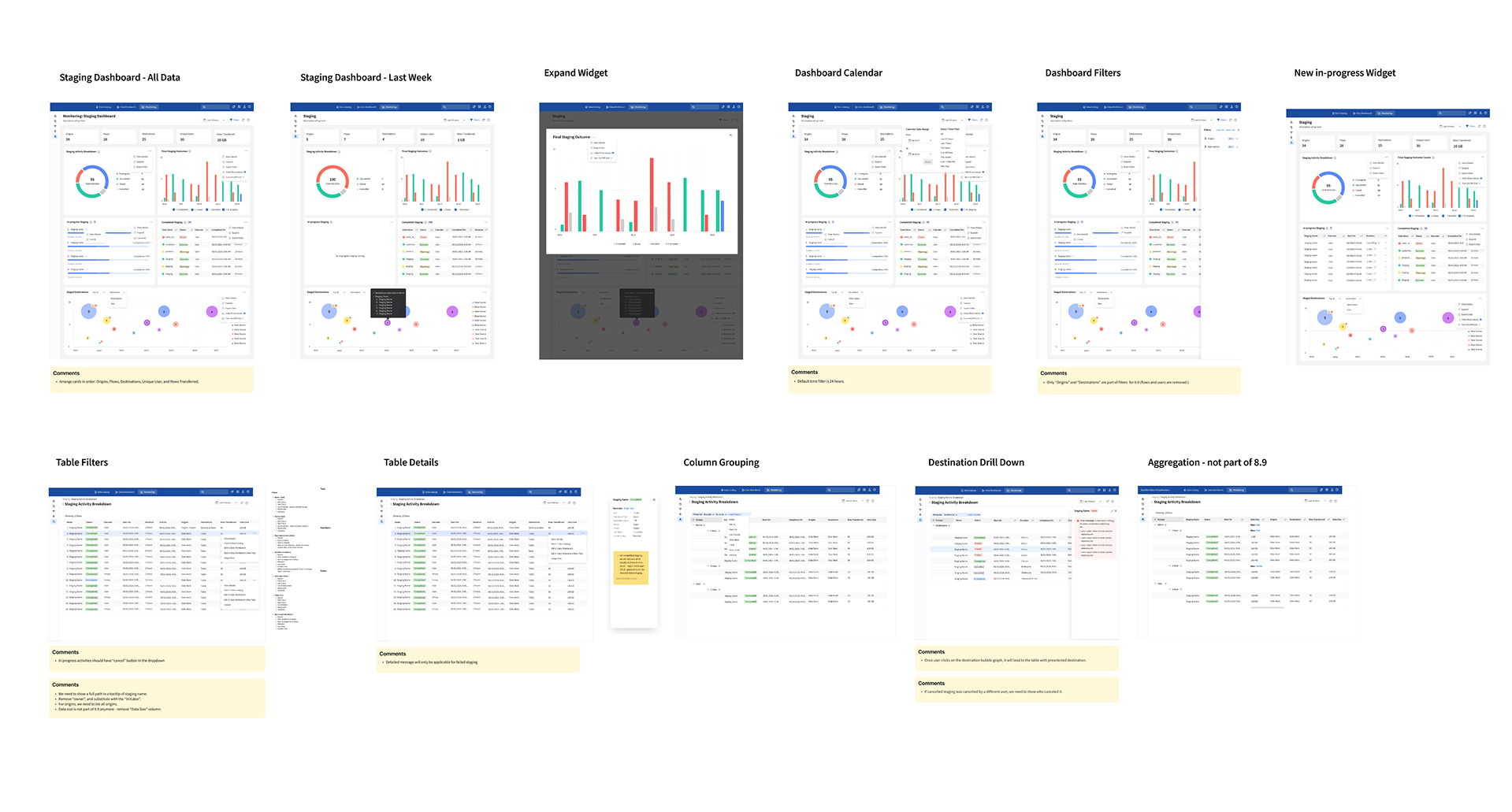
Once a job started, users needed visibility into status, progress, and failures. I designed Monitoring to help users move from a high-level view of staging activity into individual jobs when more investigation was needed.
Users could track running, completed, and failed jobs, review historical activity, and drill into job details to understand what happened.
Together, the two experiences created a connected workflow from configuration → execution → monitoring → investigation.
Usability Testing
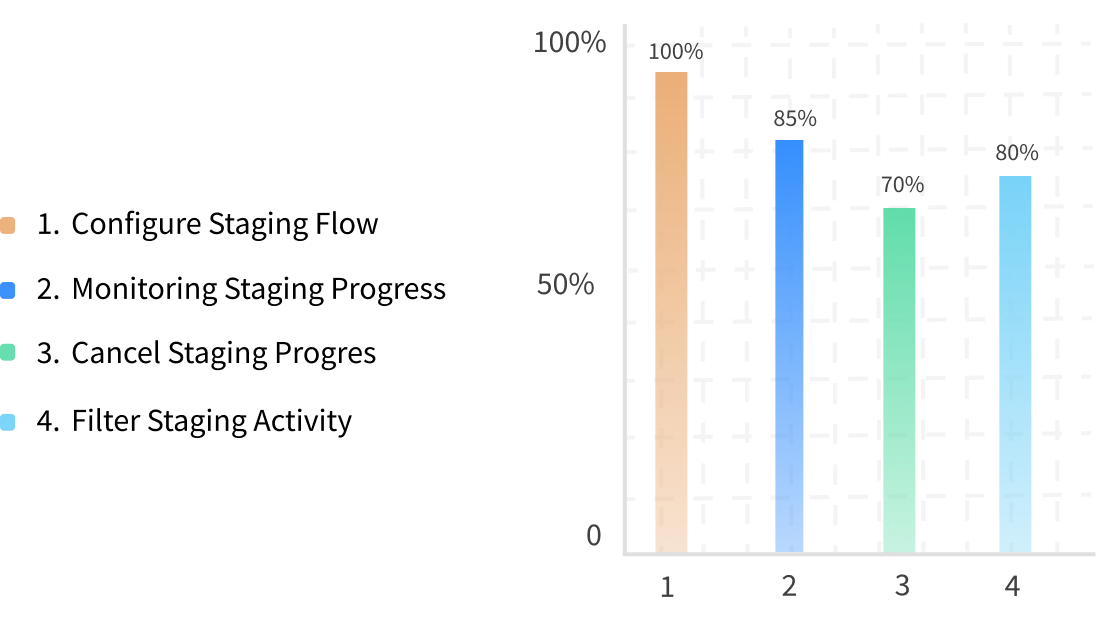
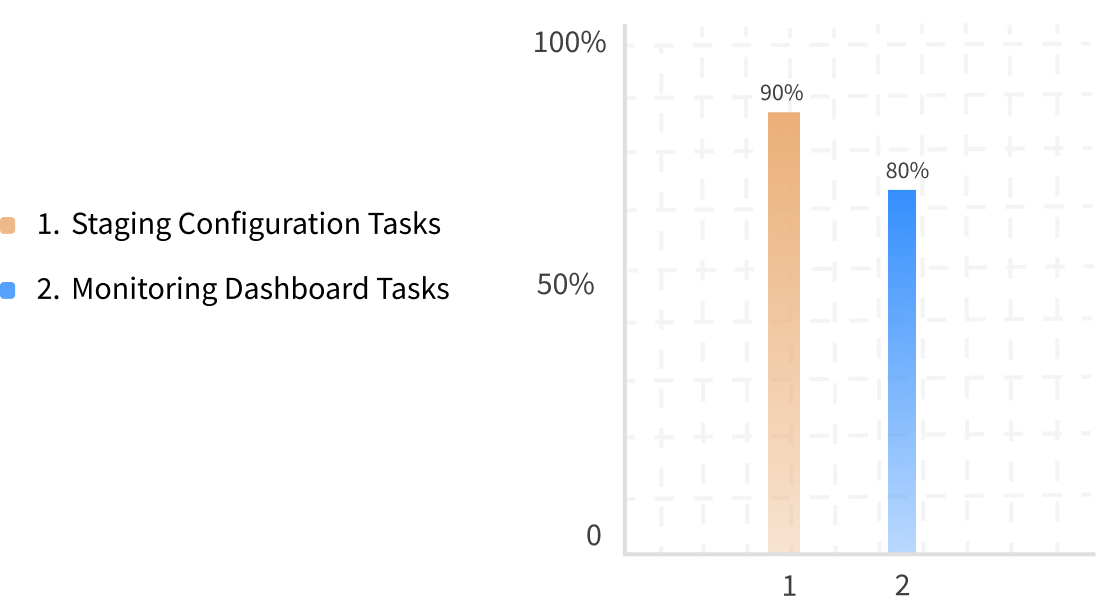
I conducted usability testing with 7 participants using UserTesting to evaluate the staging configuration and monitoring experience. Participants completed tasks focused on setting up staging, monitoring jobs, and finding key actions.
Testing identified opportunities to improve discoverability, labeling, and navigation, which I refined in the final designs.
Impact
The final experience transformed staging from a complex technical process into a connected workflow across Workbench and Monitoring.
Made it easier to configure and manage staging operations
Provided clear visibility into job status, history, and failures
Connected configuration, monitoring, and troubleshooting in one workflow
Created a scalable foundation for managing staging across Spotfire Data Virtualization
The experience was validated through usability testing and refined based on user feedback before release.
Project Details
PDF with full project details - VIEW FULL CASE STUDY
Feature release website -Spotfire Data Virtualization 8.9 Release (UX/UI design and written content created by me).